Top 10 Free Keylogger Software in 2026
This guide compares ten popular tools based on usability, tracking coverage, and practical value. Instead of long raw descriptions, each entry includes a concise summary, who it is best for, and key highlights to speed up decision-making.
Quick take
Most free tools capture keystrokes and app activity, but the biggest difference is report quality, filtering controls, and whether remote viewing is available in the free plan. If you want a cleaner daily workflow, prioritize tools with strong log organization instead of only feature count.
Best Free Keylogger
Our pick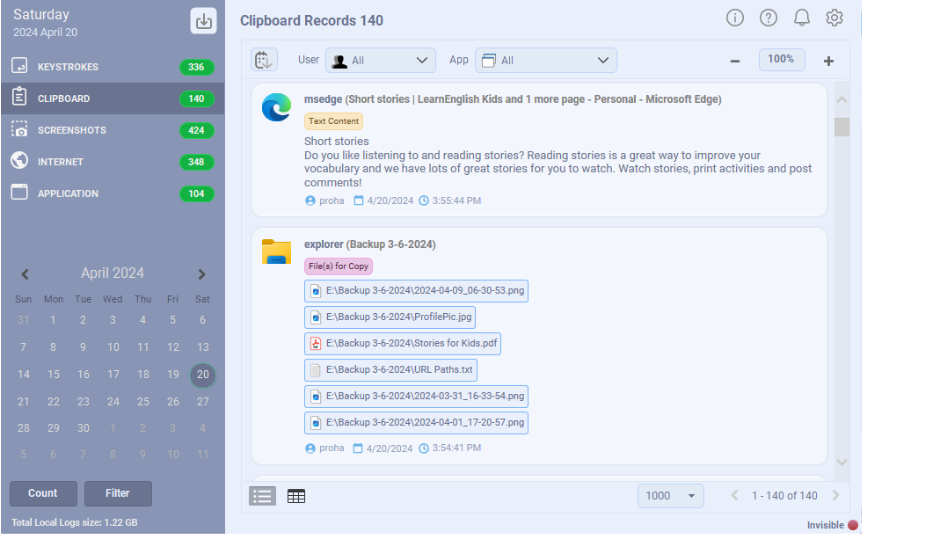
Best Free Keylogger combines activity tracking with practical controls such as app restrictions and web filtering, packaged in a user-friendly report viewer.
Beyond raw capture, it focuses on making logs readable: Smart Read reconstructs typed text into sentences, and you can filter records by application, date, user, or text so a busy day is easy to review. Reports can be delivered by Email, FTP, LAN, or USB, and one-click web and app restrictions turn it into a lightweight parental-control tool as well. The free Lite tier covers everyday monitoring, while Pro unlocks unlimited screenshots and full stealth.
Best for: Users who need both monitoring and lightweight parental control in one app.
Pros
- Smart Read turns keystrokes into readable text
- Powerful filtering by app, date, user, and text
- Email, FTP, LAN, and USB report delivery
- One-click web and application blocking
Cons
- Windows only
- Unlimited screenshots and full stealth require Pro
- Smart Read for cleaner logs
- Filtering by app/date/user/text
- One-click web and app restrictions
Kidlogger
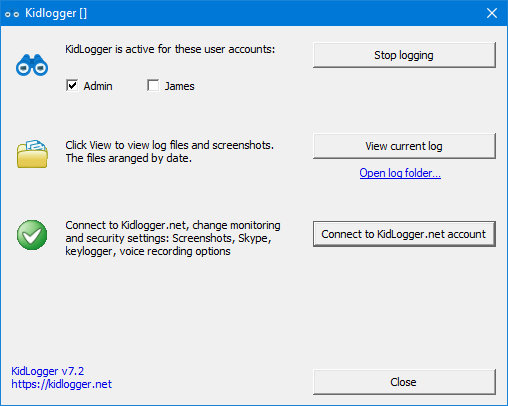
Kidlogger offers a free tier with keystroke logs, screenshots, and app tracking. It also supports cloud-based report viewing for quick remote access.
Its main draw is the online dashboard: logs sync to your Kidlogger account so you can review activity from any browser without touching the monitored device. It is one of the few tools here with cross-platform agents, and it can export records to CSV or JSON for archiving. The free plan is generous for casual use, but log retention, the number of tracked devices, and screenshot frequency are all capped until you upgrade.
Best for: Parents who want straightforward cloud reports with a no-cost starting plan.
Pros
- Cross-platform agents
- Web portal for remote viewing
- CSV/JSON export
Cons
- Free tier limits retention and devices
- Fewer blocking/control features
- Keystrokes and screenshots
- Web portal report access
- CSV/JSON export options
Windows Keylogger
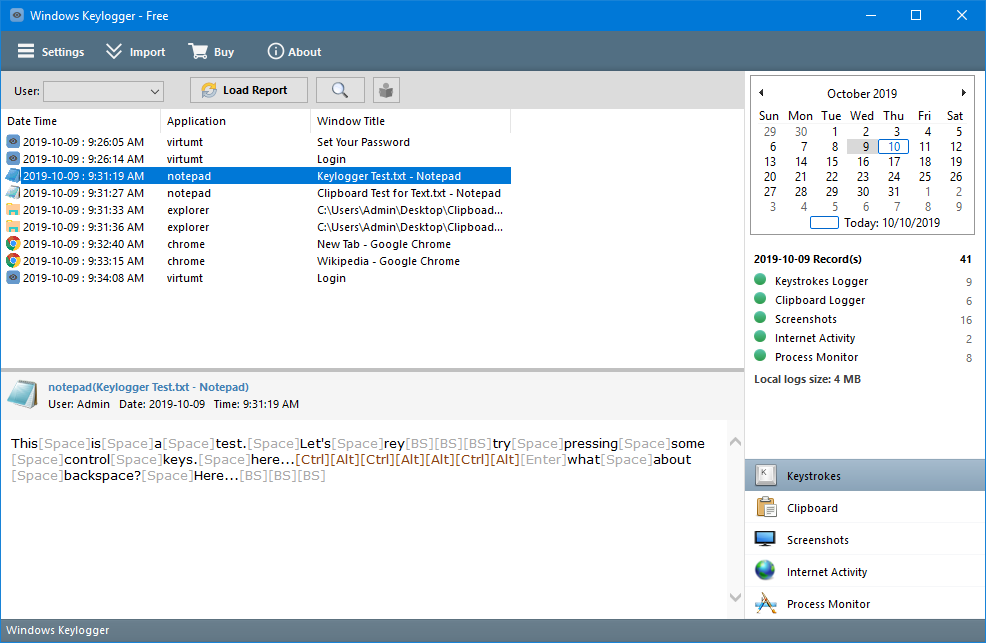
A Windows-focused option with clear local reporting and a calendar-style activity view. Screenshot and delivery features are mainly available in paid tiers.
The interface leans on a calendar so you can jump straight to a specific day, and logs show application icons that make it quick to scan what was in use. Local report viewing is free, which suits a single home PC, but automated screenshots and remote delivery sit behind the paid version. Note that the original project appears inactive — its domain is currently listed for sale — so treat long-term support as uncertain.
Best for: Simple local viewing when advanced automation is not required.
Pros
- Calendar-based day navigation
- Application icons in logs
- Free local viewing
Cons
- Screenshots and delivery are paid
- Project appears inactive
- Clear date-based log navigation
- Application icons in logs
- Free local report viewing
Refog Personal Monitor
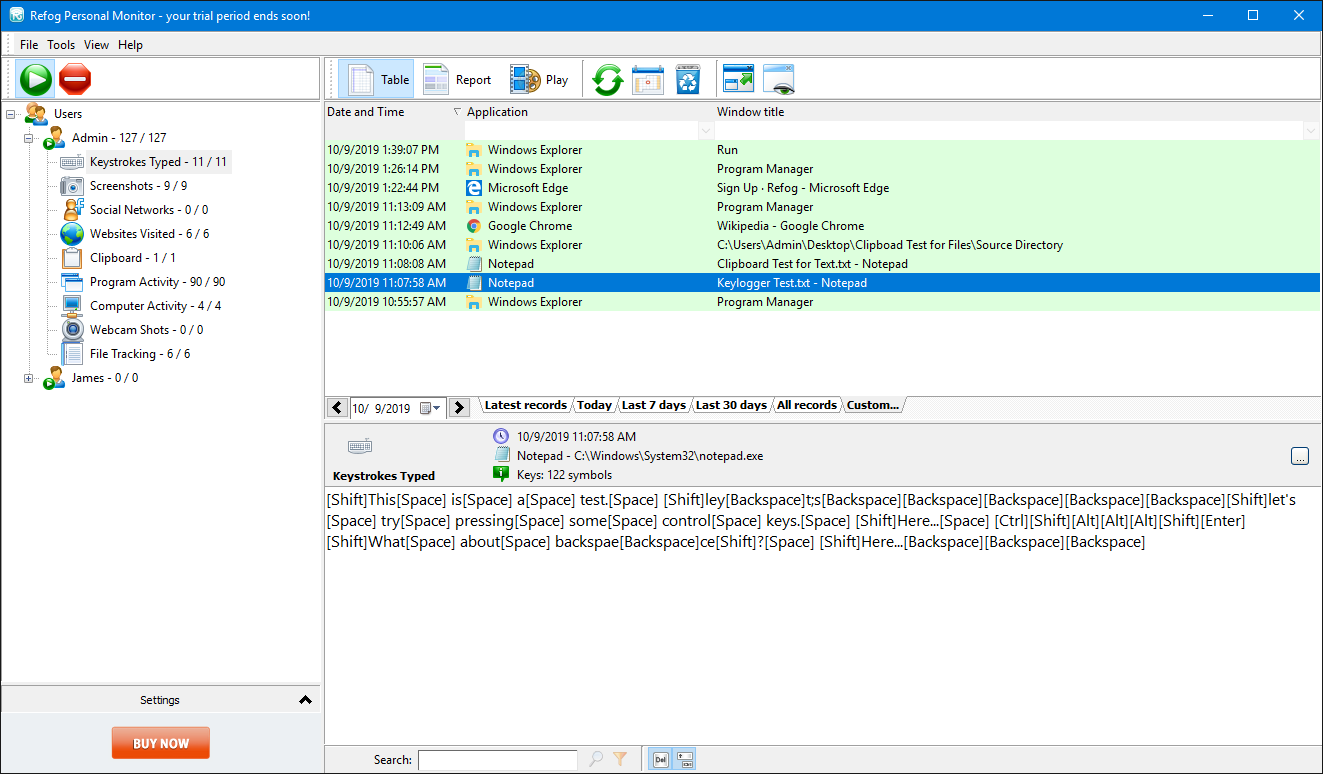
Refog Personal Monitor includes keystrokes, screenshots, internet activity, and file monitoring with a polished desktop UI.
Refog is one of the more visually refined tools on the list, and it covers a broad set of categories including file and folder activity that many free tools skip. Screenshots can be scheduled and browsed on a timeline, which helps when reconstructing what happened. The trade-off is cost: after the trial it moves to a recurring subscription, and the most useful monitoring depth is reserved for the paid plans.
Best for: Users comparing trial-based tools with broad monitoring coverage.
Pros
- Polished, modern desktop UI
- File and folder activity tracking
- Timeline screenshot browsing
Cons
- Recurring subscription after trial
- Best features are paid
- Keystrokes and screenshots
- Internet and app monitoring
- File activity tracking
All In One Keylogger
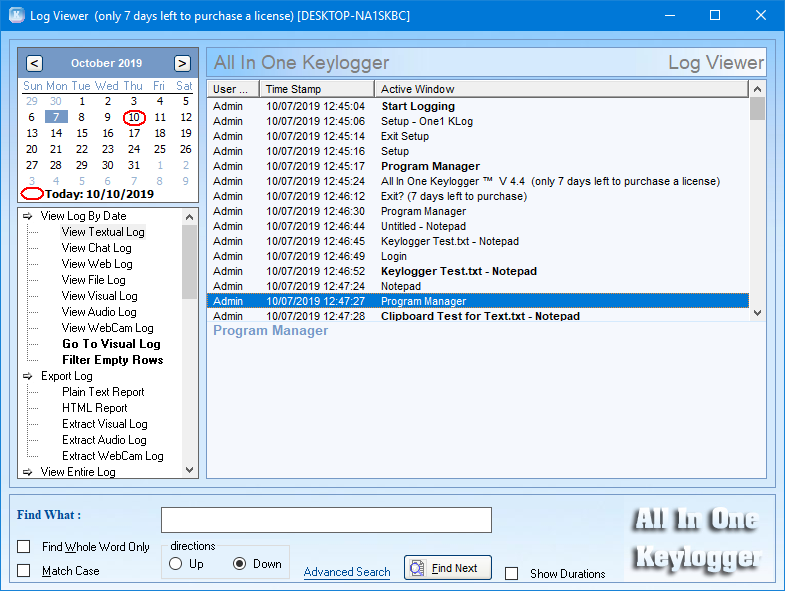
All In One Keylogger offers broad functionality and a trial model, but its interface feels older compared with newer tools in this list.
True to its name, it bundles a lot into one package — keystrokes, chat and email capture, visited websites, and scheduled screenshots — along with email, FTP, and LAN delivery. That breadth makes it a capable baseline monitor. The downside is the dated interface and a short 7-day trial before a paid license is required, so it feels less modern than the alternatives despite covering the essentials.
Best for: Users prioritizing core logging features over modern UI polish.
Pros
- Wide capture: chats, web, screenshots
- Email/FTP/LAN delivery
- Comprehensive baseline monitoring
Cons
- Dated interface
- Only a 7-day trial
- 7-day trial model
- Chats, web, and screenshot logs
- Comprehensive baseline monitoring
Iwantsoft Free Keylogger
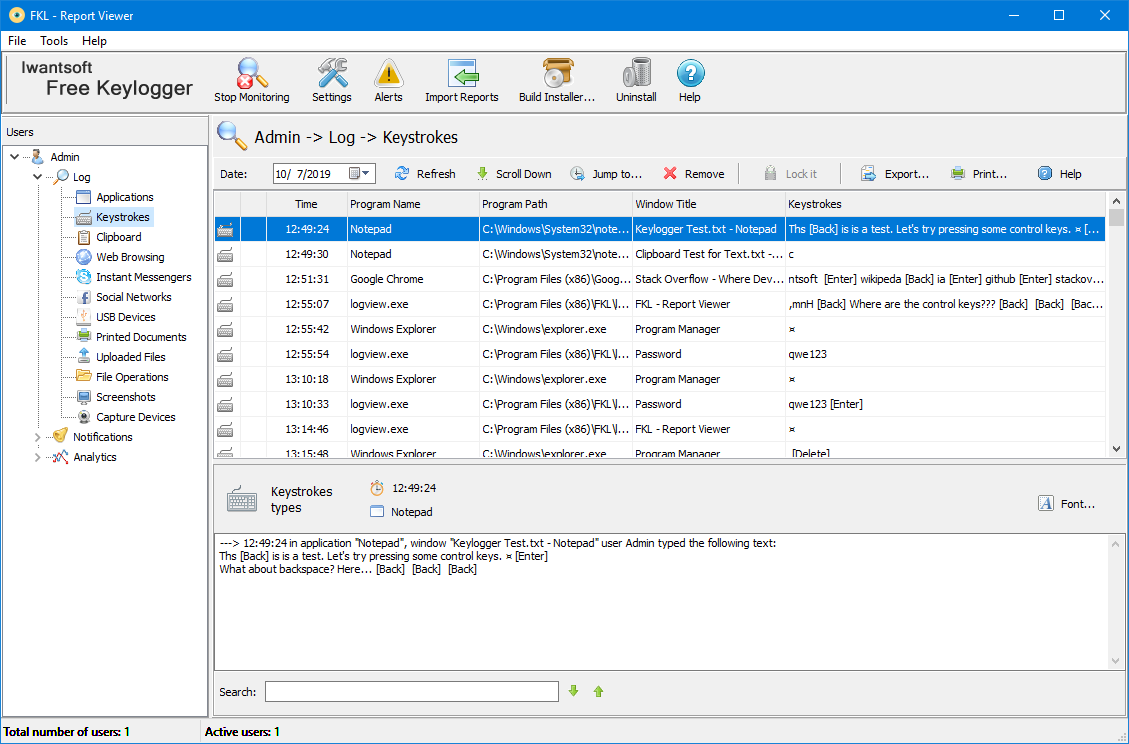
Iwantsoft includes a custom installer builder and practical restriction controls. Some advanced reporting and screenshot capabilities are gated by paid plans.
A standout feature is the custom installer builder, which lets you pre-configure the agent before deployment — handy if you set up more than one machine. It captures keystrokes and clipboard reliably and includes web and application blocking in the free version. Where it falls short is reporting: richer screenshot capture and more detailed reports are reserved for the paid upgrade.
Best for: Users who value configurable deployment and basic web/app blocking.
Pros
- Custom installer builder
- Web and app restrictions in free tier
- Solid keystroke and clipboard capture
Cons
- Advanced reporting is paid
- Screenshot depth limited on free
- Custom installer builder
- Web and app restrictions
- Solid keystroke and clipboard capture
HomeGuard Activity Monitor
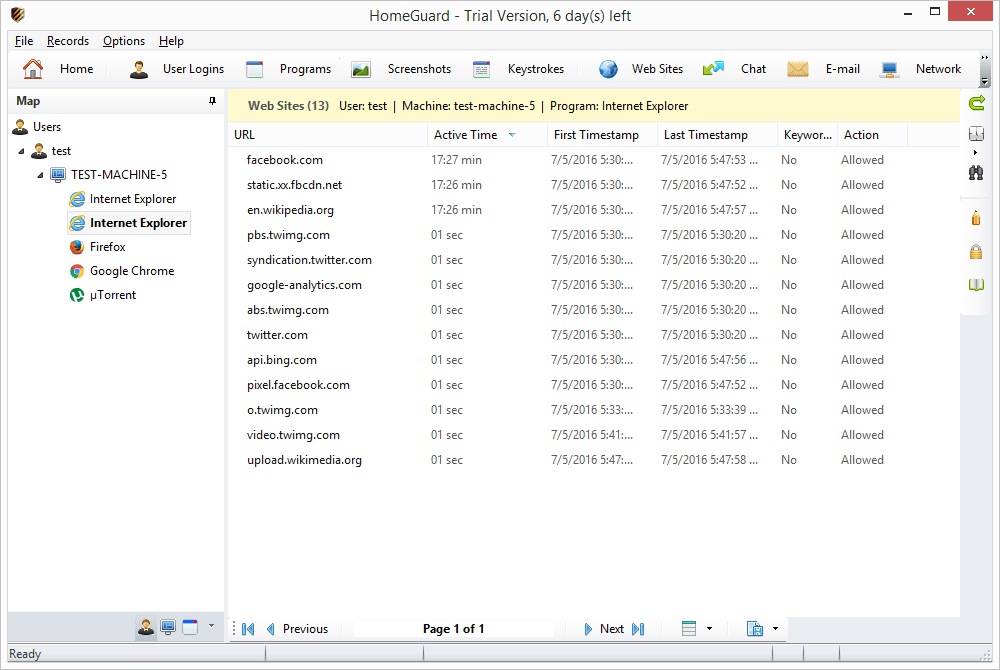
HomeGuard focuses on parental control and productivity with web filtering, screenshots, and scheduled restrictions, plus optional remote monitoring tools.
HomeGuard is less of a pure keylogger and more of a policy tool: it leans into content and Safe Search filtering, per-application time limits, and scheduled restrictions, with logging as one part of the picture. That makes it a strong choice for families or small teams that want to enforce rules rather than just observe. Expect a paid license after the trial, and a slightly more administrative setup than the simpler loggers here.
Best for: Families and teams that need stronger policy controls in addition to logs.
Pros
- Content and Safe Search filtering
- Per-app time limits and schedules
- Detailed reports and notifications
Cons
- Paid after trial
- More admin-focused than a simple logger
- Content and Safe Search filtering
- Time limits for apps/programs
- Detailed reports and notifications
Spyrix Free Keylogger
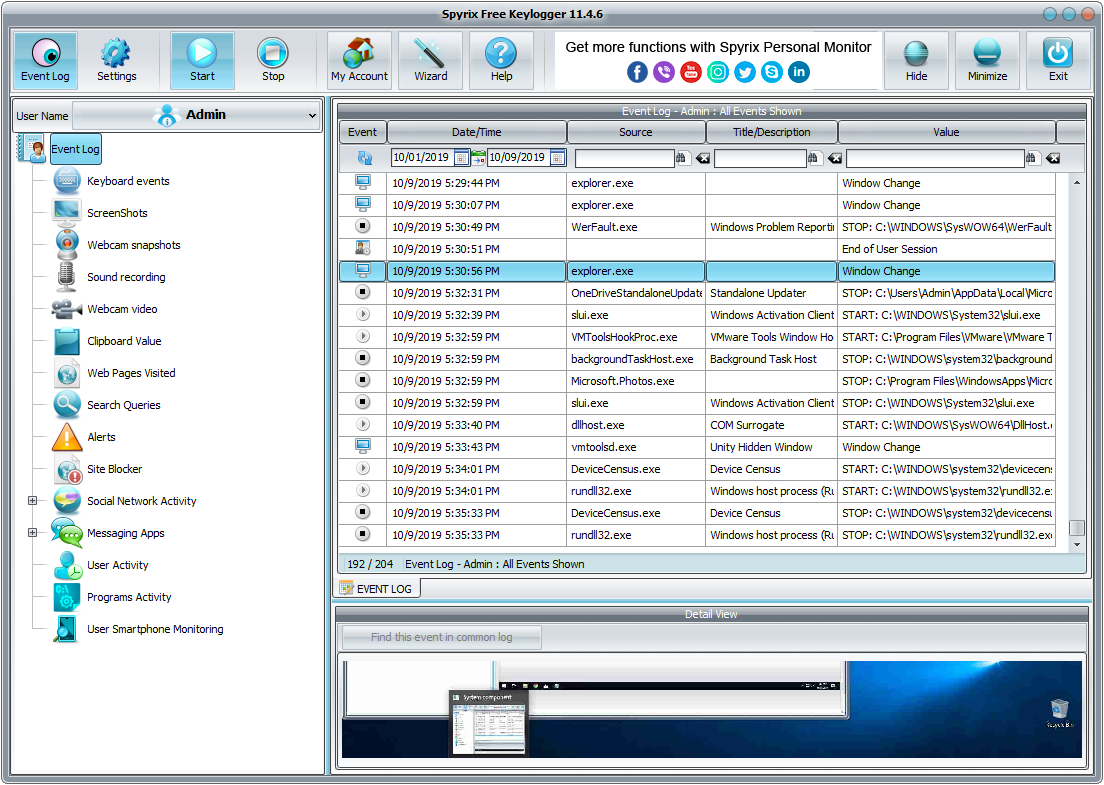
Spyrix Free Keylogger provides core capture features and a notable live-view experience through its online account dashboard.
Spyrix stands out for its live view: the free version streams recent activity to an online dashboard so you can check in remotely, which most free competitors reserve for paid tiers. Core keystroke and screenshot logging is solid. The catch is that automated delivery, social-media and webcam capture, and longer retention are paid features, and cloud-based viewing means weighing the privacy of routing data through a third-party account.
Best for: Users who want web-based visibility and are fine with free-tier limits.
Pros
- Live view via web dashboard on free tier
- Reliable keystroke and screenshot capture
- Clear upgrade path
Cons
- Delivery and advanced capture are paid
- Cloud viewing raises privacy considerations
- Live View through web dashboard
- Keystroke and screenshot tracking
- Paid upgrade path for delivery features
Real PC Spy
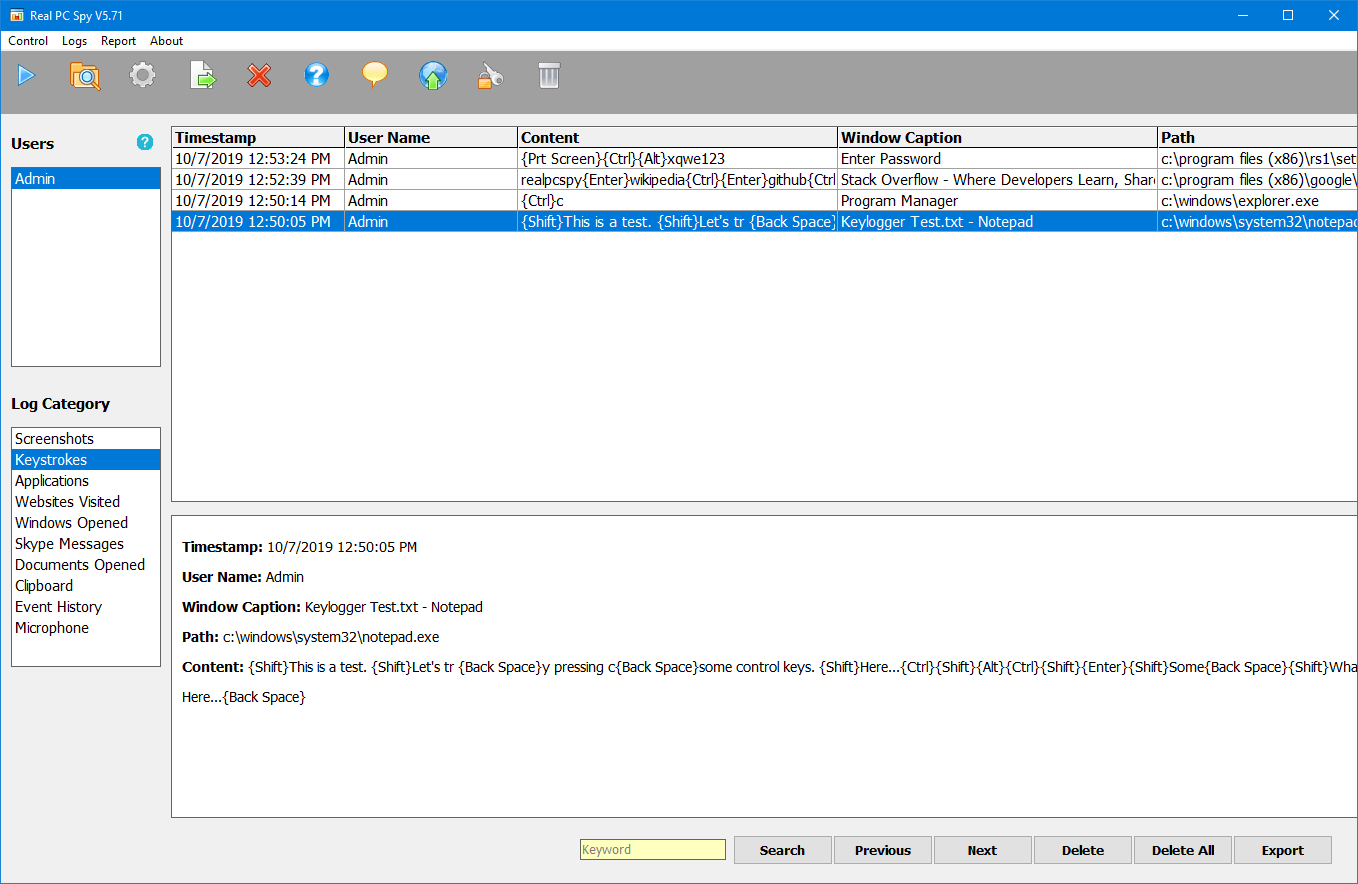
Real PC Spy includes major tracking categories and report delivery with a straightforward interface. Stealth behavior is tied to licensing.
Real PC Spy covers the expected categories — keystrokes, websites, applications, and screenshots — and presents them in an expandable, table-style report that some users find easy to skim. It supports email and FTP delivery for remote review. Stealth operation is tied to the paid license, and the interface, while functional, is fairly basic compared with the more polished options higher on this list.
Best for: Users who prefer simple operation and table-style report layouts.
Pros
- Covers all major monitoring categories
- Email and FTP delivery
- Expandable, table-style records
Cons
- Paid license required
- Basic interface; stealth is license-gated
- Covers major monitoring categories
- Email and FTP report delivery
- Expandable report records
Actual Keylogger
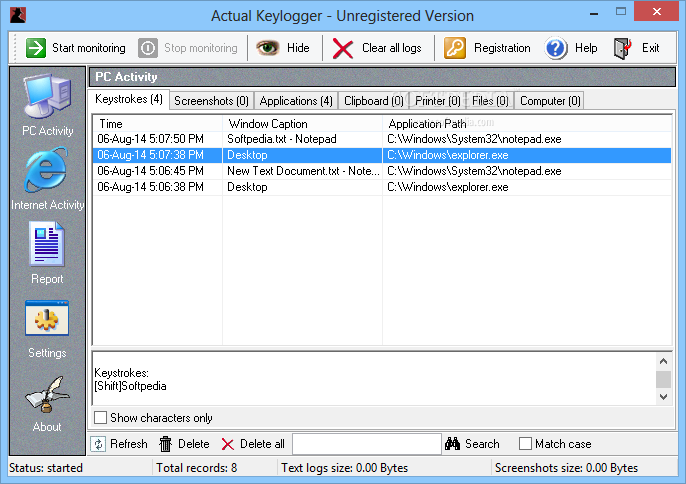
Actual Keylogger includes keystroke, clipboard, app, and internet tracking with optional website blocking and a paid feature model.
A long-established tool, Actual Keylogger handles the fundamentals well: keystrokes, clipboard, launched applications, and internet activity, with optional website blocking. Reports can be exported to HTML or plain text for offline review. It is a dependable, no-surprises option, but its feature set is standard rather than standout, and the more capable monitoring modes require the paid upgrade.
Best for: Users evaluating established tools with standard feature coverage.
Pros
- Reliable core logging
- Website blocking option
- HTML/text report export
Cons
- Feature set is standard, not standout
- Advanced modes are paid
- Keystrokes and clipboard logs
- Internet and app activity capture
- Website blocking support
Explore Best Free Keylogger
A balance between report readability and practical controls
Looking for a balance between report readability and practical control settings? Start with Best Free Keylogger and compare it side-by-side against the tools in this list.
Keep reading
All posts Setup
SetupHow to install Best Free Keylogger
Install Best Free Keylogger correctly, from setup to your first login.
Read post Roundup
Top 10 Free Employee Monitoring
A quick comparison of free employee monitoring tools, strengths, and trade-offs.
Read post Roundup
Top 10 Free Parental Control
A quick comparison of free parental control tools, strengths, and trade-offs.
Read post